The Ultimate Guide to Merging PDF Files: Easy, Secure, and Free
Published on June 04, 2026
Merge PDF Files Online – Combine Multiple PDFs into One Document
Introduction to Merging PDF Files
In today’s digital world, the Portable Document Format (PDF) has become one of the most trusted formats for sharing, storing, printing, and managing documents. Whether you are a student submitting assignments, a business professional preparing reports, a teacher organizing study material, a freelancer sending client files, or a legal expert managing case documents, you probably work with PDF files almost every day. Many times, important information is stored in separate PDF documents, and sending or managing them one by one can become confusing. This is where a Merge PDF Tool becomes extremely useful.
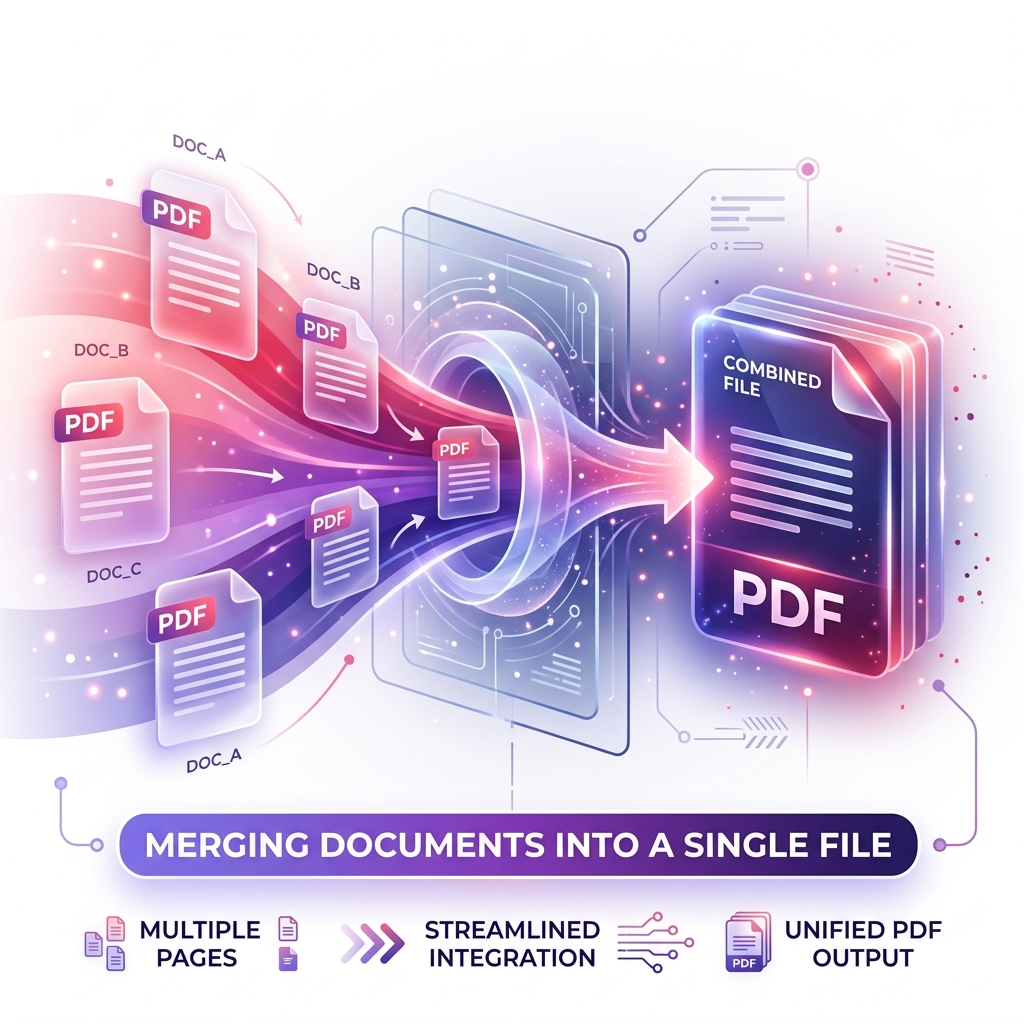
Merging PDF files means combining two or more PDF documents into one single, organized PDF file. Instead of keeping multiple files separately, you can join them together and create one complete document. This makes file management easier, improves presentation, saves time, and helps users share documents more professionally. For example, if you have separate PDFs for a cover page, assignment, certificate, invoice, report, and appendix, you can merge them into one clean document and send it as a single file.
A free online Merge PDF Tool is especially helpful because it allows users to combine PDF files without installing heavy software. You can upload your files, arrange them in the correct order, process them, and download the final merged PDF within seconds. This tool is useful for students, office users, businesses, teachers, legal professionals, government document users, and anyone who wants a fast and easy way to manage PDF files.
Why Merge PDF Documents?
There are many practical reasons why combining multiple PDF files into one document is a smart choice. A merged PDF is easier to share, easier to read, easier to print, and easier to store. Instead of dealing with scattered files, users can create one structured document that looks clean and professional.
Professional Document Presentation
Sending one organized PDF looks much more professional than sending many separate files. If you are applying for a job, submitting a college project, sending a business proposal, or sharing official documents, one combined PDF creates a better impression. It shows that you have taken the time to arrange your documents properly.
For example, a resume, cover letter, certificates, and portfolio can be merged into one PDF file. A business proposal can include an introduction, pricing sheet, service details, and contract pages in one document. This makes the file look complete and well-prepared.
Easier Navigation
When all pages are combined into one PDF, readers can scroll through the entire document without opening and closing multiple files. This improves the reading experience and saves time. A merged PDF is especially useful for long reports, study notes, legal files, manuals, eBooks, project submissions, and business documents.
Instead of asking the receiver to open five different attachments, you can send one PDF that contains everything in the correct order. This makes the document easier to understand and review.
Better Searchability
One of the biggest advantages of merging PDFs is improved searchability. When multiple documents are combined into one file, users can use the Find command, such as Ctrl+F, to search for keywords across the entire document. This is very useful for reports, contracts, study material, legal documents, manuals, and research files.
If your information is spread across different PDFs, finding a specific word or section can take more time. But in one merged PDF, searching becomes faster and more efficient.
Better Archiving and Storage
Storing one combined PDF is cleaner than storing many separate files. It helps users organize documents by project, client, subject, date, category, or purpose. For example, you can create one PDF for monthly invoices, one PDF for student records, one PDF for business reports, or one PDF for legal case files.
This makes digital storage more organized and reduces confusion. A merged PDF is also easier to back up, upload, email, and archive.
How to Merge PDFs Online for Free
Merging PDF files using PDF Master Pro is simple and beginner-friendly. You do not need technical knowledge or professional PDF editing software. The process is designed to be fast, clean, and easy for every type of user.
Step 1: Upload Your PDF Files
First, open the Merge PDF tool page and upload your PDF documents. You can drag and drop your files into the upload box or click Choose Files to select PDFs from your device. You can upload multiple PDF files depending on your requirement.
This step is useful when you have separate documents such as assignments, reports, invoices, certificates, forms, receipts, or scanned files that need to be combined.
Step 2: Arrange the File Order
After uploading your PDFs, you can arrange them in the correct order. This is an important step because the final merged PDF will follow the same sequence. You can drag and rearrange files to decide which document should come first, second, third, and so on.
For example, if you are creating a project report, you may want the cover page first, introduction second, main report third, references fourth, and certificates at the end. Proper arrangement makes the final PDF look professional and easy to read.
Step 3: Process the Files
Once your files are uploaded and arranged, click the Process Files or Merge PDF button. The system will combine your documents into one PDF file. The process usually takes only a few seconds, depending on the number and size of uploaded files.
A good online PDF merger keeps the pages clear, organized, and properly structured during processing.
Step 4: Download the Merged PDF
After processing is complete, click the Download button to save your newly combined PDF document to your device. You can now share it by email, upload it to a website, print it, store it, or send it through messaging apps.
The final file will contain all selected PDFs in one organized document.
Is It Safe and Secure to Merge PDF Files Online?
Security is very important when working with PDF files because many documents contain personal, academic, business, legal, or financial information. Users may upload invoices, contracts, certificates, bank documents, identity files, reports, or official papers. That is why a reliable Merge PDF tool should be designed with privacy and safe processing in mind.
When users upload files to a trusted platform like PDF Master Pro, the files should be handled securely. A professional PDF tool should protect uploaded documents during transfer and processing. It should also avoid sharing user files with any third party. Automatic file deletion after processing is also important because users want their documents to remain private.
Before using any online PDF merger, users should always choose a trusted tool that clearly focuses on privacy, security, and safe document handling.
Advanced Tips for Perfect PDF Merging
To get the best result when merging PDF documents, it is useful to follow a few simple tips. These tips can help make your final PDF cleaner, smaller, and more professional.
Check Page Orientation
Before merging your PDF files, check whether all pages have the same orientation. Some PDFs may be in portrait mode, while others may be in landscape mode. If the orientation is mixed, the final file may still work, but it may not look smooth while reading or printing.
If any page is sideways or upside down, use a Rotate PDF Tool before merging. This will help create a properly aligned final PDF document.
Arrange Files Carefully
The order of your PDFs matters. Always arrange documents in a logical sequence before merging. For example, a business proposal should start with a cover page, followed by introduction, services, pricing, terms, and contact details. A student assignment should start with the title page, then main content, references, and supporting documents.
Correct order improves readability and makes the final PDF more professional.
Compress Large Merged PDFs
If you are merging many large PDF files, the final document may become heavy. Large PDFs can be difficult to upload, email, or share. After merging, you can use a Compress PDF Tool to reduce file size while keeping good quality.
This is useful for email attachments, online form submissions, government portals, job portals, school portals, and business platforms where file size limits are common.
Remove Unwanted Pages Before Merging
If some PDFs contain extra pages, blank pages, or duplicate pages, remove them before merging. You can use a Split PDF Tool or page removal feature to keep only the important pages. This helps create a cleaner final document.
Rename the Final PDF Properly
After downloading the merged PDF, rename it with a clear and professional file name. Instead of using names like final_new_123.pdf, use names like Business_Report_2026.pdf, Assignment_Submission.pdf, Client_Proposal.pdf, or Invoice_Documents.pdf.
A proper file name improves organization and looks more professional when shared.
Who Can Use a Merge PDF Tool?
A Merge PDF tool is useful for almost everyone who works with digital documents.
Students can merge assignments, notes, certificates, admit cards, project files, and study materials. Teachers can combine worksheets, question papers, lesson plans, and student records. Office users can merge reports, invoices, HR documents, meeting files, and business papers. Business owners can combine proposals, contracts, product catalogs, invoices, and client documents. Legal professionals can merge case files, agreements, affidavits, evidence documents, and official papers.
Freelancers can merge portfolios, proposals, service documents, invoices, and contracts. Job seekers can combine resumes, cover letters, certificates, experience letters, and identity documents. Personal users can merge bills, receipts, medical reports, bank documents, travel files, and scanned records.
Benefits of Using PDF Master Pro Merge PDF Tool
PDF Master Pro makes PDF merging simple, fast, and convenient. The tool is designed for users who want a clean online solution without complicated steps. You can combine multiple PDF files into one document directly from your browser.
The tool can be used on mobile, tablet, laptop, and desktop devices. This means users can merge PDF files anytime and anywhere. Whether you are working from home, office, school, college, or mobile phone, you can quickly upload documents and download one combined PDF.
A good PDF merger improves productivity because it saves time and reduces manual work. Instead of sending many separate files, users can create one complete document in seconds.
SEO Keywords for Merge PDF Tool
For SEO, a Merge PDF tool page should naturally include important search keywords. These keywords help search engines understand the purpose of the page and help users find the right tool.
Important keywords include: merge PDF online, combine PDF files, free PDF merger, PDF combiner tool, join PDF files, merge multiple PDFs, combine PDF documents, online PDF joiner, PDF merge tool, merge PDF pages, PDF Master Pro Merge PDF, and combine PDFs into one file.
These keywords should be used naturally in headings, paragraphs, meta description, and tool instructions. The content should remain helpful and readable instead of repeating keywords unnaturally.
Conclusion
A Merge PDF Tool is an essential online document tool for anyone who wants to combine multiple PDF files into one organized document. It saves time, improves professionalism, makes sharing easier, improves searchability, and helps users manage documents more efficiently. Whether you are a student, teacher, office worker, business owner, freelancer, legal expert, or personal user, merging PDFs can make your document workflow smoother.
With KNIFE PDF, you can upload multiple PDF files, arrange them in the correct order, process them securely, and download one clean merged PDF file. The tool is simple, fast, mobile-friendly, and useful for daily PDF management. If you are searching for a free Merge PDF tool, online PDF combiner, PDF joiner, combine PDF files tool, or merge multiple PDFs into one document, PDF Master Pro provides a convenient solution for creating professional and organized PDF files.
Ready to Process Your PDFs?
Use our high-speed, secure, and 100% free online PDF tools to convert, merge, compress, and edit your documents in seconds.
Explore All PDF Tools